

HeroLegend
HeroLegend is a small pixel-art 2D platformer for Windows. You jump through the levels, dodge enemies, collect coins and try to beat your own best scores.
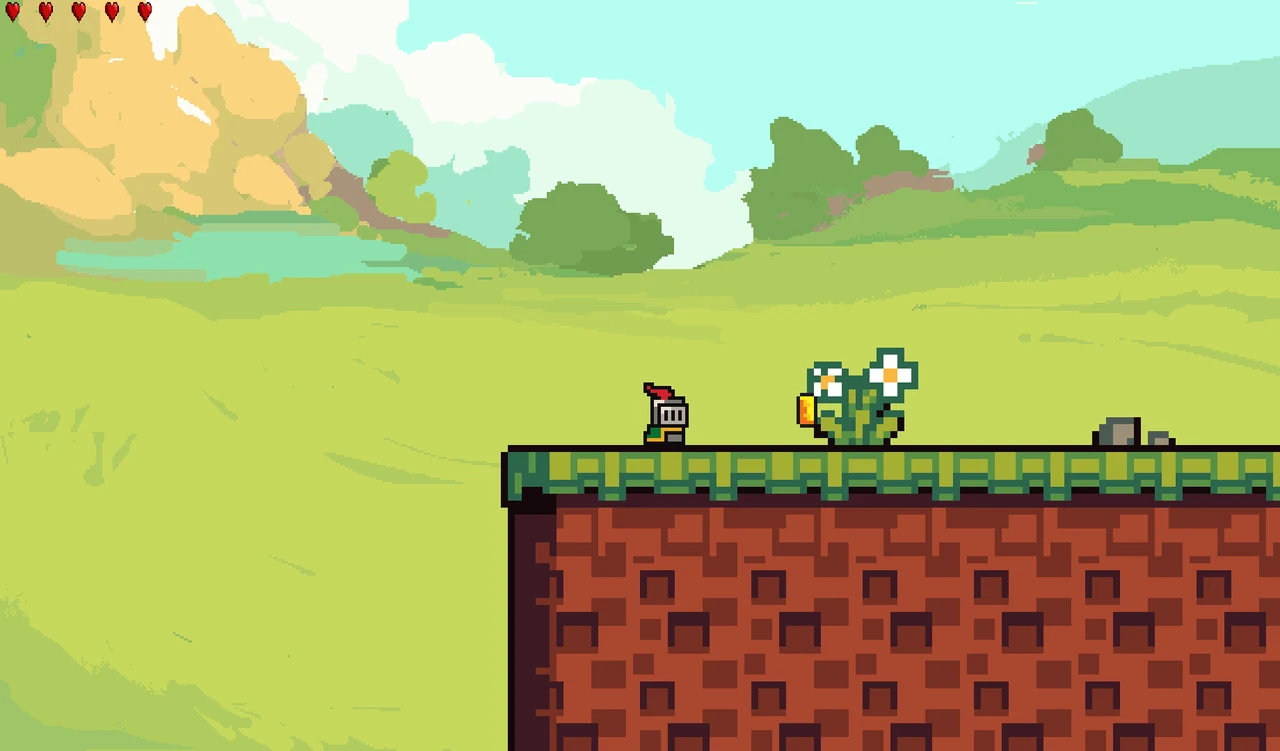

What to expect
Explore the levels
Jump through the game world, dodge enemies and find your way to the goal.
Coins and best scores
Collect coins and keep an eye on your results; they are saved locally on your PC.
Keyboard or controller
Play on your Windows PC with a keyboard or a controller.
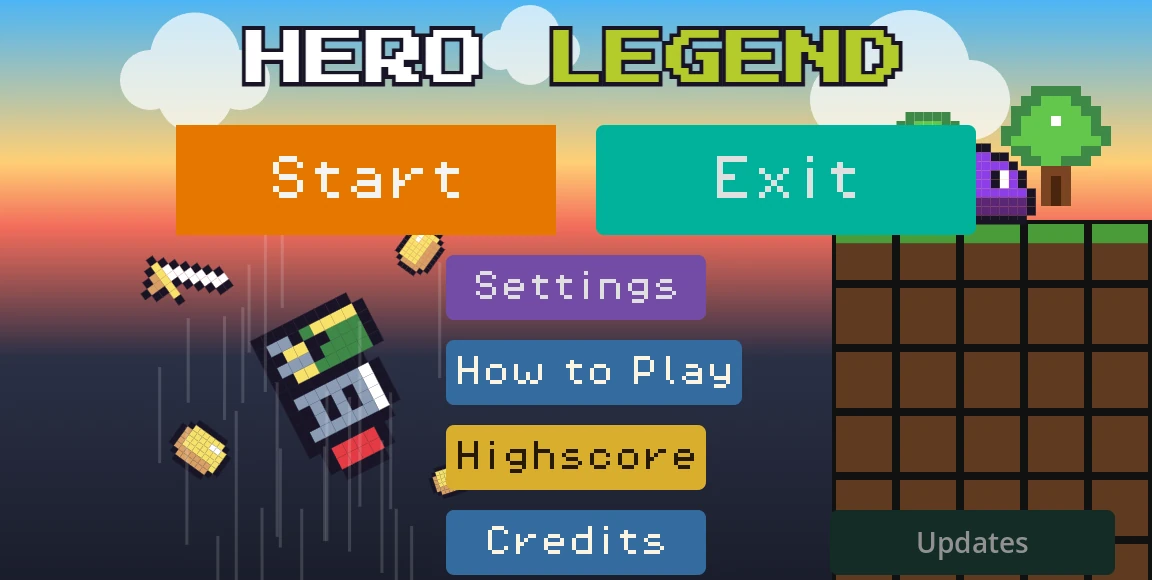
Updates in the game
A built-in update area in the game shows new versions and their changes.
Pictures from the game
Real captures from a published test version.
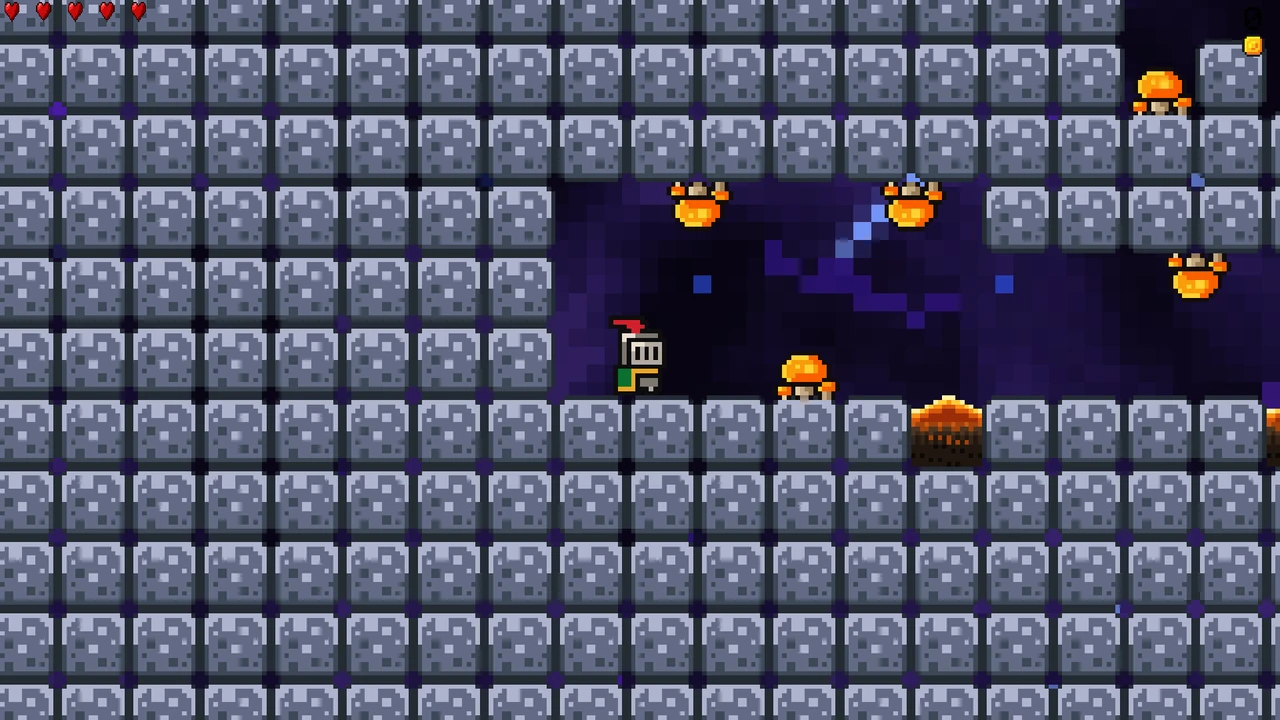
Level 3 shows a tileset by Zack Alvarado (CC BY 3.0) – details under Licences & sources.
Privacy in the game
This is the privacy text of exactly the version offered for download here, so you can read it before installing.
Open the game's privacy text
HeroLegend 0.5.3 – Provider, privacy and rights
Updated: 27 November 2026
Provider and controller
LN55 Studio
Emanuele Giannone
c/o IP-Management #12178
Ludwig-Erhard-Str. 18
20459 Hamburg
Deutschland
Contact and privacy requests: contact@ln55-studio.com
Bug reports: report@ln55-studio.com
HeroLegend is a free game without sales, advertising, player accounts, tracking or analytics. This notice covers the game and its update service; you do not need a website to read it. The German version is available in the same window via “Deutsch”. The rights notices for the engine and game assets follow below.
Your local data
Player names, high scores, map records and settings stay on your computer. TesterLive stores high scores and map records in the “Highscore” folder next to the EXE, and settings and your update-check choice in the Godot user folder “HeroLegend” (%APPDATA%\Godot\app_userdata\HeroLegend); TesterDev uses the separate folder “HeroLegend TesterDev”. In the user folder the engine also creates technical log files (folder “logs”, containing the engine version and graphics card) and a shader cache. For an update, the verified package, the version file and the installation request are stored there in the “updates” folder; a backup of the previous program file remains next to the EXE. There is no cloud storage or synchronisation, and none of these files are uploaded. You can delete them yourself at any time; deleting the EXE does not remove them automatically.
Update check
On first start, HeroLegend asks in the main menu whether it may check for updates automatically. Only if you agree does the game check the small version file of its channel at downloads.ln55-studio.com at start, about every 60 seconds while it is running and when you return to the game window (no sooner than 30 seconds after the previous check). Without your consent it checks only when you choose “Jetzt prüfen” (check now) in the updates area. You can change your choice at any time under Settings → “Auto updates”. A program package is downloaded only after you click “Herunterladen” (download); installing and restarting need a further confirmation. Without internet the game remains fully playable.
For every check and every download the server technically receives your IP address, the time, the requested file (product, channel and, for downloads, the version) and connection data. The request sends only the identifier “HeroLegend-Updater/1” and details on file format and compression, but no high scores, player names, settings, device or advertising identifiers and no cookies. The purpose is to deliver updates securely and to defend against technical faults and abuse. Legal bases: for the automatic check, your consent (Section 25(1) TDDDG). The check you start yourself, the download and the installation are necessary for the function you requested (Section 25(2) No. 2 TDDDG). Processing of the connection data on the server is based on our legitimate interest in a secure, working update service (Art. 6(1)(f) GDPR). Local storage of game progress, settings and your update choice serves the game functions you use (Section 25(2) No. 2 TDDDG); there is no storage for advertising or analytics.
Hosting and recipients
Our own download server is located in Nuremberg, Germany. The hosting provider is netcup GmbH, Emmy-Noether-Straße 10, 76131 Karlsruhe, Germany, acting as processor. Support by Anexia Holding GmbH and Anexia Cloud Solutions GmbH in Austria and Anexia Cloud Solutions GmbH in Germany is covered by the data processing agreement. Authorised operators and administrators only receive the access needed for operation and handling. The game and update path involves no analytics, advertising or cloud profile provider, and no transfer to a recipient outside the EU or EEA is intended.
Voluntary messages
If you contact us by email yourself, we process the sender and reply address, subject, message, any content you attach and delivery data in order to reply and handle errors. Please do not send passwords or unnecessary private save files. Our mailbox is hosted on our own netcup server; your chosen email provider is an additional transmission path that you use. Incoming emails are checked for spam and malware only on our own mail server (filter rules and a virus scanner); it does not query external reputation lists or checking services, and no message content is passed on. Like any mail server, it reads public DNS records of the sender and of the delivering server (for example SPF, DKIM, DMARC and reverse DNS). This is separate from the update check. The legal basis is Art. 6(1)(f) GDPR, our interest in secure communication and in handling your request; where a request aims at an agreement, Art. 6(1)(b) GDPR. Messages are voluntary. Without a reply address we cannot answer you.
Retention
No separate HTTP access logs are enabled for the download server. Only if a connection is disturbed (for example an interrupted download) may the server store an error message with the IP address, port, requested address and the request headers including the program identifier. Such messages, technical operating messages of the server and the connection and delivery logs of the mail server are kept in the shared system journal; its entries are deleted after seven days at the latest, and it is limited to 512 MiB in total. This is not a deletion period for mailboxes or backups. Requests are kept only for handling them and any necessary follow-up questions; afterwards they are moved to the mailbox trash, which empties itself automatically 30 days later, unless a specific statutory retention duty or the defence of legal claims requires otherwise. Encrypted backups serve recovery and are not used as a working archive. A backup set is deleted automatically as soon as two newer complete sets of the same area exist; completed deletions are applied again after a restore. There is no blanket unlimited retention.
Your rights
You can request access, rectification, erasure and restriction and – where the legal requirements are met – data portability at contact@ln55-studio.com. Where processing is based on legitimate interests, you can object on grounds relating to your particular situation (Art. 21 GDPR). Your consent to the automatic update check is voluntary; you can withdraw it for the future at any time under Settings, without any disadvantage for playing. Withdrawal does not affect the lawfulness of checks made before. Providing this information is neither a statutory nor a contractual requirement; without update checks you simply do not learn about new versions automatically. There is no automated decision-making with legal or similarly significant effect and no profiling.
You have the right to lodge a complaint with a data protection supervisory authority, in particular in the place of your habitual residence or work or of the alleged infringement.
HeroLegend for Windows
Test version: may still contain bugs. The app itself offers new versions.
Installing: download the ZIP file, extract it and start the game. Windows SmartScreen may warn you on first start because the game is new and not widely known; choose “More info” and then “Run anyway” to start it.
- Version
- 0.5.3 (Build 50007)
- Size
- 40.7 MB
- Released
- 27 November 2026
- Requirements
- Windows (64-bit)
SHA-256 checksum
c0164d8c836fba7434d552411aa10604fe25a843edf60ee7ce9eecf84ea37267The checksum lets you verify that the file arrived complete and unchanged.
Credits and licences
The app itself lists all fonts, graphics, sounds and libraries it uses together with their licences. The files of this website are listed under Licences & sources.