

PeTTApp
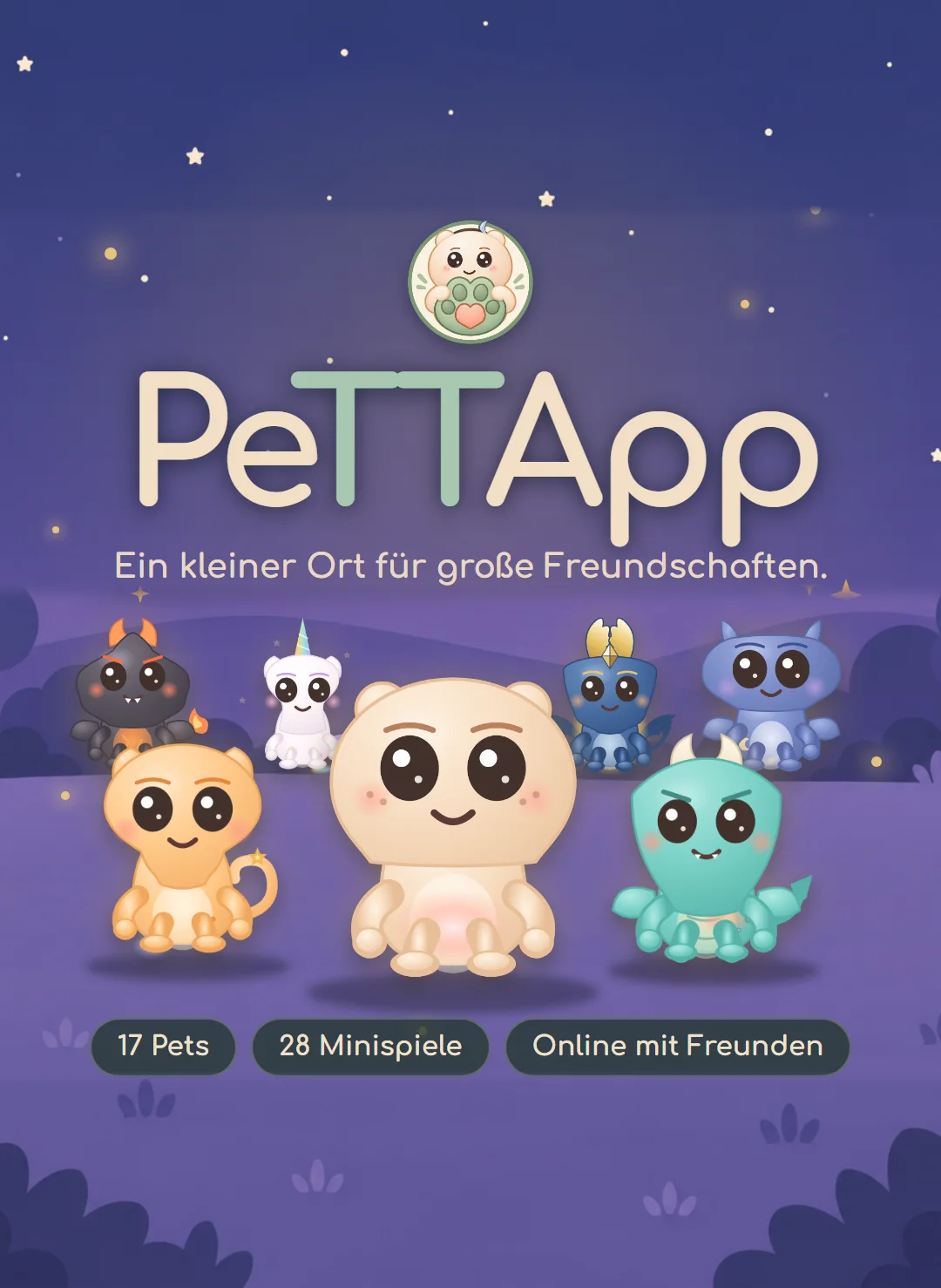
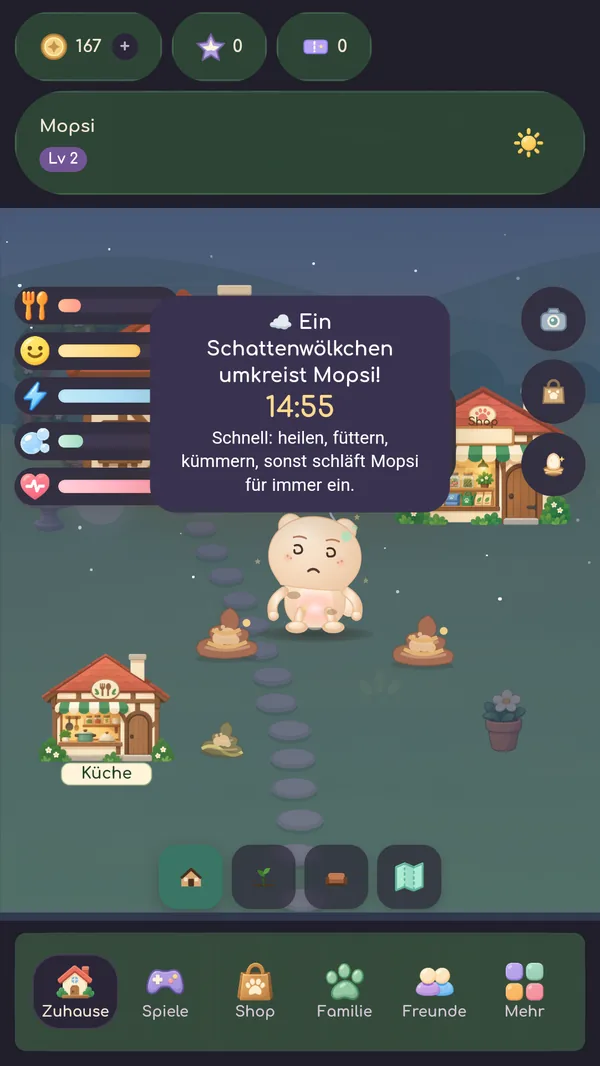
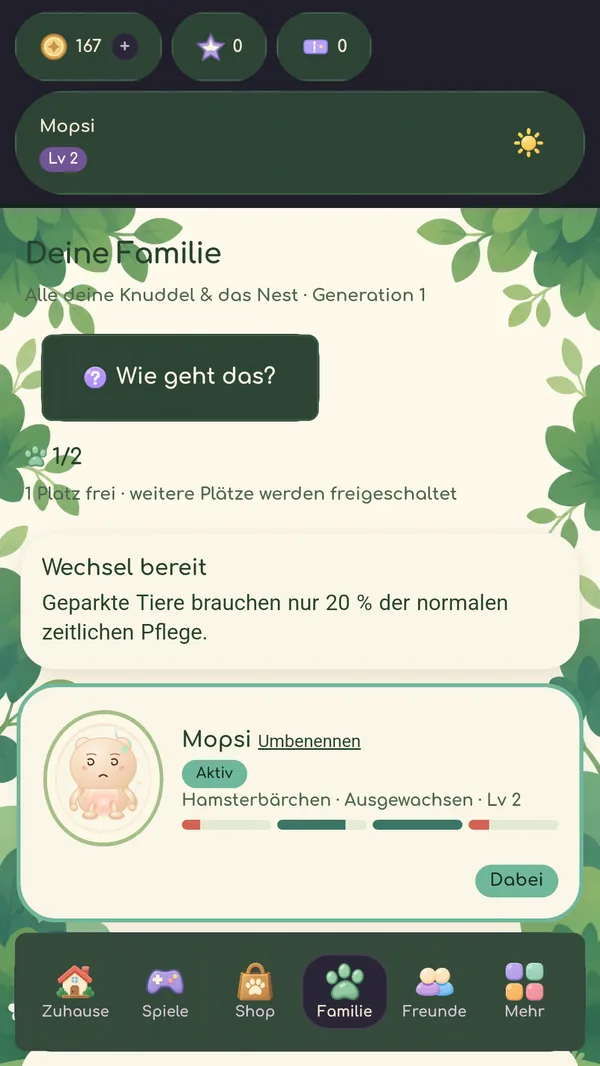
In PeTTApp you look after a little pet: you feed and cuddle it, play with it and discover new species over time. The app can be played in German and English.

What to expect
- 17
pet species
From Mopsi to Traumi: seventeen species are waiting to be discovered and collected in your album.
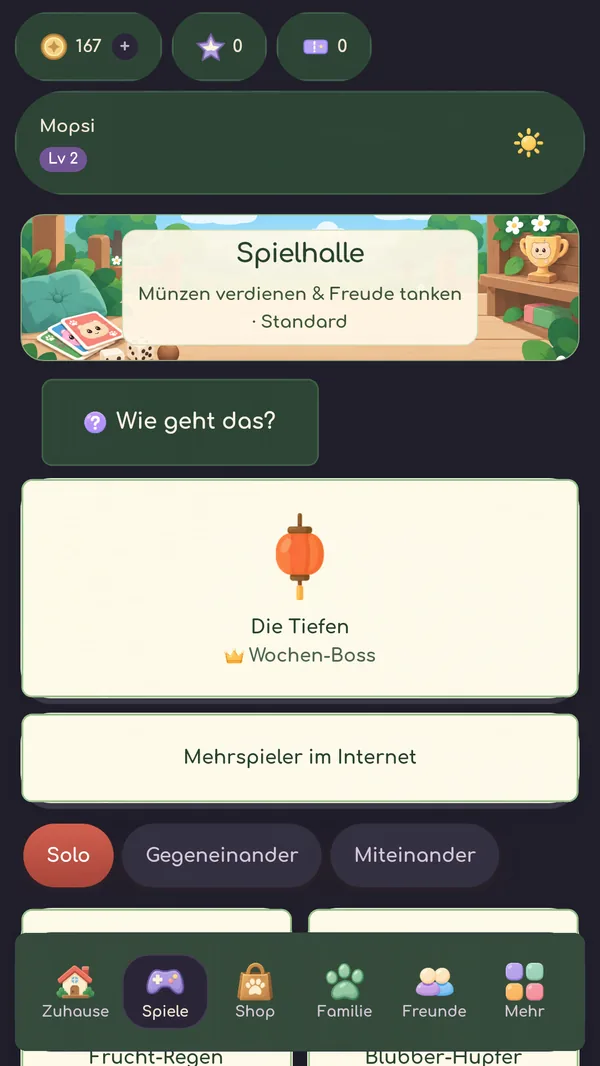
- 28
mini-games
The arcade has mini-games to play on your own, against each other and together.
Online with friends
With your own PeTTApp account you can play matches with friends over the internet. Without an account your pet stays on your device.
German and English
All texts in the app are available in German and English.
What it looks like
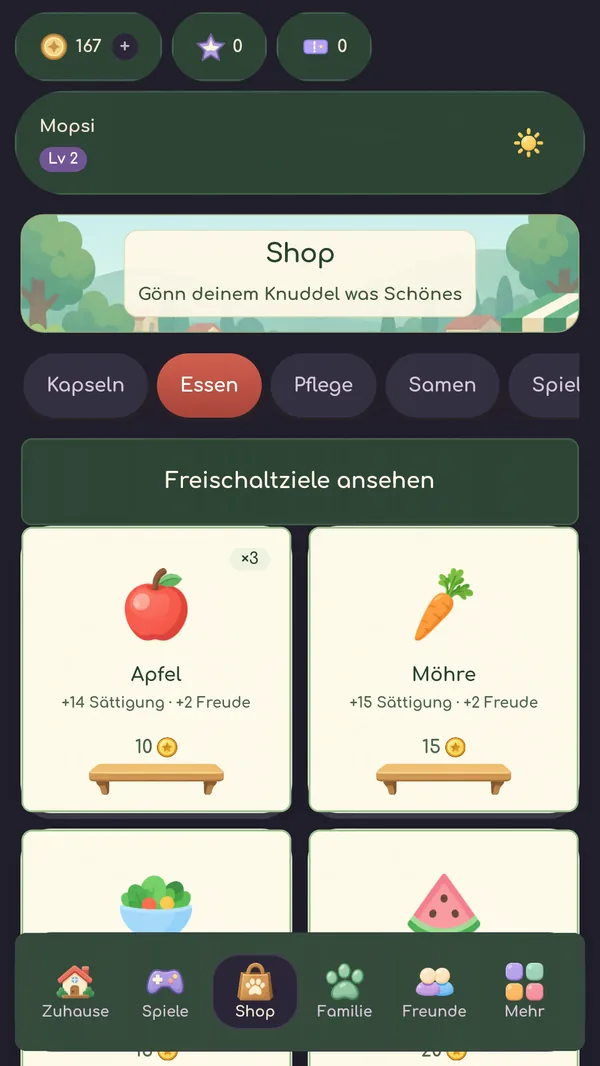
Real screenshots from a published test version.
Privacy in the app
This is the privacy text of exactly the version offered for download here, so you can read it before installing.
Open the app's privacy text
Imprint: provider and data controller
LN55 Studio
Emanuele Giannone
c/o IP-Management #12178
Ludwig-Erhard-Str. 18
20459 Hamburg
Deutschland
E-Mail: contact@ln55-studio.com · Support: report@ln55-studio.com
Updated: 27 November 2026
If you are a minor, discuss online use with your parents or legal guardians before playing or registering and obtain any required approval.
Your choice and local data
The main game and its complete save run on your device. Care, growth, gardening and solo games do not need an account or server confirmation. Friends, chat and shared matches are optional online services. You enable additional cloud backup separately; having an account does not turn it on. Registration and sign-in process your email address and credentials. The app does not ask for your date of birth. Other LN55 Studio apps retain their own data and accounts.
Account, email and protected device storage
An account needs an email address and a password; without an account you play the main game completely locally, only friends, chat, shared matches and cloud backup are then unavailable. Registration, sign-in and recovery process your email address, password hash, email verification, time-limited verification and access records, and device sessions. Sign-in requires a verified email address. Passwords are transmitted encrypted and stored as hashes. Android access tokens and optional-service preferences are encrypted in protected NoBackup storage and excluded from save exports. A sign-in stays valid until 30 days after it was last used, at most one year; after that you sign in again. You can revoke your device sessions; the server deletes ended device sessions 30 days after they end. To prevent abuse, the server counts sign-in and other requests per IP address and per email address only as a non-reversible key value; these counters are deleted after one day at the latest. The app excludes its data from automatic Android cloud backup. Supported direct device transfers may copy only the local profile file; access tokens are not transferred. Android and the device manufacturer perform the transfer. Local exports and optional LN55 backup remain independent.
Local save and optional cloud backup
When enabled, cloud backup uploads a version of the selected profile that has already been saved completely on your device: pets, progress, eggs, inventory, garden, unlocks and game statistics. It also includes profile/save-line identifiers, schema, revision, content checksum and a random device identifier. Access tokens, private photos, files and chat text are excluded. The server checks format, authorization and transfer; it does not replay care actions. The current and preceding confirmed versions remain available. Cloud saves are not automatically restored on every launch. A restore you select backs up the current local save first and keeps other profiles. Local backups made before migration or restore are available in settings; they are not automatically uploaded separately and are lost when app data is cleared. Conflicting device versions are not silently overwritten. Matches process only the required pet/appearance data, game actions and result/reward receipts. Offline-earned numbers do not affect the fixed ranked combat values.
What other players see
Your chosen nickname and player ID support player search and contact. Other signed-in players can see them and published ranking values. Match participants receive the pet values needed to play, including pet name, life stage, accessories and gold variant, as well as actions and results. Choose names you are comfortable sharing. Internet players may be outside Germany. Strength, results and rankings follow the game rules; there are no automated decisions with legal or similarly significant effects.
Friends, private messages and invitations
Confirmed friends who have not blocked each other can exchange private text messages and invite one another to games. The server processes player and conversation identifiers, sender, recipient, message text and identifier, timestamps, and invitation and participation status. Friends see Online, In game or Offline status derived from the active connection and match; changes may appear after a short delay. Transfer is encrypted, while the server processes the text for delivery and retention. There is no end-to-end encryption, attachments or read receipts. Messages remain available only in temporary memory during the current connection. Both friends must have the app open and be online. Closing the app, losing the connection or reopening starts an empty chat; there is no offline delivery. The server keeps bounded message buffers in memory, not in the database, saved game or new backups. The other friend may continue seeing messages already received until their own session ends. Sign-out, profile changes and blocking clear or restrict the affected chat buffers. Message contents are not part of the persistent account export. The server keeps friendships until one of you removes them or an account is deleted. Game invitations expire after a short time (pair invitations after 60 seconds); the server deletes finished invitations after 30 days. Match results and ranking values stay stored for the ranking; when your account is deleted, your player is removed from them.
Storage on your device
The app stores on your device: your saves and profiles, settings and language, whether you agreed to automatic update and maintenance checks, for which version it showed you this privacy information (with time and whether you ticked “read”) and, after you sign in, encrypted access tokens. Photos from photo mode are stored in your gallery only when you tap “Save”. The camera is used only while you have a QR code scanner open; camera images are neither stored nor sent. None of this is transferred to us automatically; the only exceptions are cloud backup you switch on and the online services described above. You delete everything with “Clear app data” in the Android settings or by uninstalling; cloud backups and your account are not affected.
Purposes and legal bases
Account and requested online services: Article 6(1)(b) GDPR. Secure operation, abuse prevention, update delivery, showing the server status (maintenance or disruption) and general enquiries: Article 6(1)(f) GDPR. Automatic update and maintenance checks only with your consent: Section 25(1) TDDDG and Article 6(1)(a) GDPR; you withdraw it at any time with the switch under More → Settings, without affecting earlier checks. What the app stores on or reads from your device to provide the game you chose and the services you use (save, settings, your choices, access tokens after you sign in, a check you tap) is strictly necessary for that: Section 25(2) No. 2 TDDDG. Our interests are reliable services, fair matches and responding to your enquiry. Choosing optional online services is a technical choice and does not authorise advertising or analysis of your local content.
Updates and server status remain independent of the account
The app asks downloads.ln55-studio.com for a new version or the maintenance state only when you trigger it (“Check now”, tapping the status light) or after you have agreed once to automatic checks. With your consent, TesterLive checks for updates at startup, and the app reads the public status file downloads.ln55-studio.com/petapp/status.json while open about every two minutes, about every minute from 35 minutes before announced maintenance and about every 30 seconds during maintenance or a disruption. While you are signed in and online for friends or in a match, the app reads the status file without that consent too, so you can see whether friends, chat and matches are available. The full download starts only after you tap; Android confirms installation separately; updates do not require a player account. With every request the server receives your IP address, the request time, the requested file or byte ranges and technical connection details; the app only sends a fixed app identifier (for example “PeTTApp-Status/1”), no device model, no account or save data and no identifiers. The server keeps no access log of downloads, update checks or status requests. Only when a connection breaks off can the web server write an error message with IP address, requested address, app identifier and time to the system journal; it is deleted after seven days at the latest. The app stores your choice about automatic checks on your device only.
Optional contact and error report
General enquiries go to contact@ln55-studio.com. The direct contact form sends only your entered reply address, optional name, subject and message over HTTPS to the LN55 contact service and then to this mailbox. It needs no game account or email app and sends no saves, tokens, device identifiers or attachments. IP address, request ID and request hash are processed for delivery and abuse prevention. Temporary request records and IP-based counters expire after 15 minutes, and the global rate counter after one hour; the reply address you enter is not treated as a verified identity. An error report to report@ln55-studio.com is prepared locally and transmitted only when you deliberately send it in your chosen email app. You choose the text, optional technical details and any deliberate attachments. Sender/reply addresses and delivery details are also processed. Profiles, tokens and photos are not attached automatically. Your email provider additionally processes messages under its own terms. Incoming emails are checked for spam and malware only on our own mail server (filter rules and a virus scanner); it does not query external reputation lists or checking services, and no message content is passed on. Like any mail server, it reads public DNS records of the sender and of the delivering server (for example SPF, DKIM, DMARC and reverse DNS).
Recipients and operation
PetApp services, downloads and LN55 Studio email accounts are hosted by netcup GmbH in Germany (hosting as a processor). All servers are in Germany; we do not deliberately transfer your data to countries outside the EU and the EEA. The mail server queries no external reputation lists, fingerprint or checking services. Fellow players and friends see the details meant for them wherever they are. Authorised operators and technical processors receive data needed for operation, security and enquiries. Verification and support messages are delivered to your chosen email provider. Email or file providers you select may involve additional recipients and transfers to third countries. The app contains no advertising, trackers or analytics services.
Retention, signing out and deletion requests
Account data and online progress are retained to provide and administer your account. Signing out does not delete it. Disabling cloud backup or signing out deletes neither local saves nor existing cloud versions. Earlier server saves remain available for transition and deliberate recovery. Reward receipts support unique payouts and recovery; they are included in account exports and removed when account deletion is carried out. A confirmed account-deletion request blocks access; actual account deletion takes place in a separate deletion run. This does not promise immediate removal of every backup copy. Contact/support enquiries are kept only for handling and necessary follow-up; they are then moved to the mailbox trash, which empties itself automatically 30 days later, unless a specific obligation or necessary legal claim requires retention. Technical service logs are stored in the shared system journal on the server; only the operator can read it. Its retention is configured to at most seven days and a total size limit of 512 MiB. The PetApp services themselves write no request logs. The LN55 mail server logs connections and deliveries of incoming and outgoing emails (for example the IP address of the delivering server or mail program, sender and recipient address, time and the result of the spam and virus check) to keep the service running and to find errors. These container logs use the same shared system journal, with seven days of retention and a total size limit of 512 MiB for the entire journal, not separately for each mail service. Older log files are removed automatically as part of rotation. Backups serve recovery; a backup set is deleted automatically once two newer complete sets of the same area exist. Completed deletions and revocations must be reapplied after recovery.
Your data protection rights
Contact the controller above for access, correction, deletion, restriction or, where applicable, portability. You withdraw a consent you gave (automatic update and maintenance checks) at any time with the switch under More → Settings; this applies to the future. You may complain to a data protection authority. Account controls provide your online export and deletion request; local content is managed on your device.
Right to object
You may object at any time, on grounds relating to your particular situation, to processing based on our legitimate interests (Article 6(1)(f) GDPR): secure operation, abuse prevention, update delivery, server status and handling enquiries (Article 21 GDPR). Write to the address above. We then stop processing the data unless there are compelling legitimate grounds or the processing serves the establishment, exercise or defence of legal claims.
PeTTApp for Android
Test version: may still contain bugs. The app itself offers new versions.
Installing: download the APK file and open it. The first time, Android asks whether your browser or file manager may install apps (“Install unknown apps”). Only allow this for this installation.
- Version
- 0.6.3 (Build 50)
- Size
- 85.8 MB
- Released
- 27 November 2026
- Requirements
- Android 8.0 or newer
SHA-256 checksum
1fc6fbe88df02058eee6a94919ab6719b9547e58f8f07a6fab53995fbb950ecbThe checksum lets you verify that the file arrived complete and unchanged.
Credits and licences
The app itself lists all fonts, graphics, sounds and libraries it uses together with their licences. The files of this website are listed under Licences & sources.